


Windows 8.1 Home – Genuine Digital Licence Key & Instant Delivery
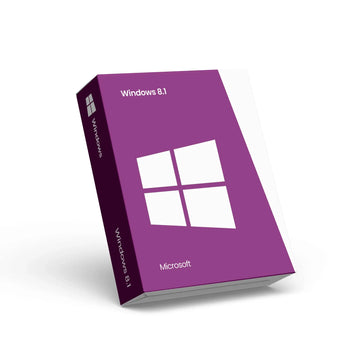
Windows 8.1 Home – Genuine Digital Licence Key & Instant Delivery
Windows 8.1 Home – Genuine Digital Licence for Everyday Computing
Upgrade your PC with Windows 8.1 Home, a reliable and easy‑to‑use operating system designed for everyday users. This product provides a genuine digital licence key delivered instantly by email — no physical media required — so you can activate your operating system quickly and securely.
Windows 8.1 Home offers an intuitive interface that blends desktop familiarity with modern features, helping you browse the web, manage files, play media, and run your favourite apps with confidence. With support for both 32‑bit and 64‑bit systems, Windows 8.1 Home delivers broad device compatibility and a responsive experience whether you’re using a desktop, laptop, or touch‑enabled device.
📌 Key Features
🖥️ User‑friendly interface with Start Screen and Live Tiles
🌐 Internet Explorer/Edge support for fast and secure browsing
📂 Efficient file and system management for everyday tasks
📬 Instant email delivery of your licence key with activation instructions
⚙️ Supports both 32‑bit and 64‑bit installations for compatibility
Once purchased, your Windows 8.1 Home activation key will be sent instantly to your inbox with step‑by‑step instructions for download and activation. Whether you’re installing on a new device or upgrading an existing one, Windows 8.1 Home provides a stable and familiar environment for home computing.
Choose Windows 8.1 Home for a trusted, classic operating system that keeps your everyday tasks running smoothly without subscription fees or recurring costs.
Why Choose Premium?


Discover more in our FAQ
How do I receive my software key?
After purchasing, your software key will be delivered directly to your email. Please ensure you enter the correct email address during checkout.
Can I download the software directly from your website?
No, we provide official download links from the software provider, such as Microsoft. This ensures you’re installing the software directly from a trusted source.
How do I download and install the software?
Once you’ve received your software key:
- Use the official download link provided in your email.
- Follow the on-screen instructions to install the software.
- Enter the software key when prompted to complete the activation process.