


Microsoft Outlook 2021 – Genuine Digital License Key & Instant Delivery
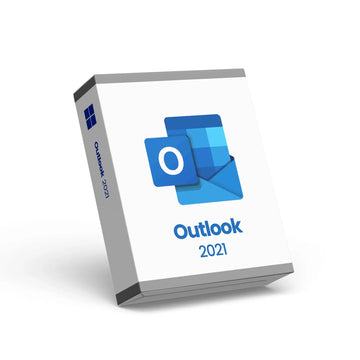
Microsoft Outlook 2021 – Genuine Digital License Key & Instant Delivery
Microsoft Outlook 2021 – Professional Email & Calendar Software License
Get reliable email, calendar, and contact management with Microsoft Outlook 2021, the powerful communication and organization tool used by professionals, students, and businesses alike. With this product, you’ll receive a genuine Microsoft Outlook 2021 license key delivered instantly by email — no physical media required.
Outlook 2021 offers an intuitive and efficient interface that helps you stay on top of your communications. Manage email accounts, schedule meetings, organise calendars, track tasks, and connect with contacts — all in one robust application designed to enhance productivity and streamline your workflow.
📌 Key Features
📧 Professional email client with advanced inbox management
📅 Integrated calendar and scheduling tools
👤 Contact and task organisation for efficient workflows
🔐 Built‑in security features to protect your communications
📬 Instant email delivery of your licence key with easy activation instructions
After purchase, your Outlook 2021 activation key will be sent instantly via email with step‑by‑step instructions to download and activate your software. Outlook 2021 is ideal for professionals, entrepreneurs, students, and anyone needing a powerful email and calendar solution that enhances communication and time management.
Choose Microsoft Outlook 2021 for a cost‑effective, one‑time license that delivers dependable performance without subscription fees.
Why Choose Premium?


Discover more in our FAQ
How do I receive my software key?
After purchasing, your software key will be delivered directly to your email. Please ensure you enter the correct email address during checkout.
Can I download the software directly from your website?
No, we provide official download links from the software provider, such as Microsoft. This ensures you’re installing the software directly from a trusted source.
How do I download and install the software?
Once you’ve received your software key:
- Use the official download link provided in your email.
- Follow the on-screen instructions to install the software.
- Enter the software key when prompted to complete the activation process.